Your body keeps count

Break reminder app for Mac with guided eye and posture exercises.

Pausy lives in your Mac's menu bar. Once an hour it walks you through five minutes of eye, breathing, neck, squat and arm exercises — guided by a little figure, timed, nothing to set up. Between breaks, white noise keeps you in the zone.

First 7 days free, then $7/month. Cancel during the week and pay nothing. macOS 13 or later, Apple Silicon and Intel.
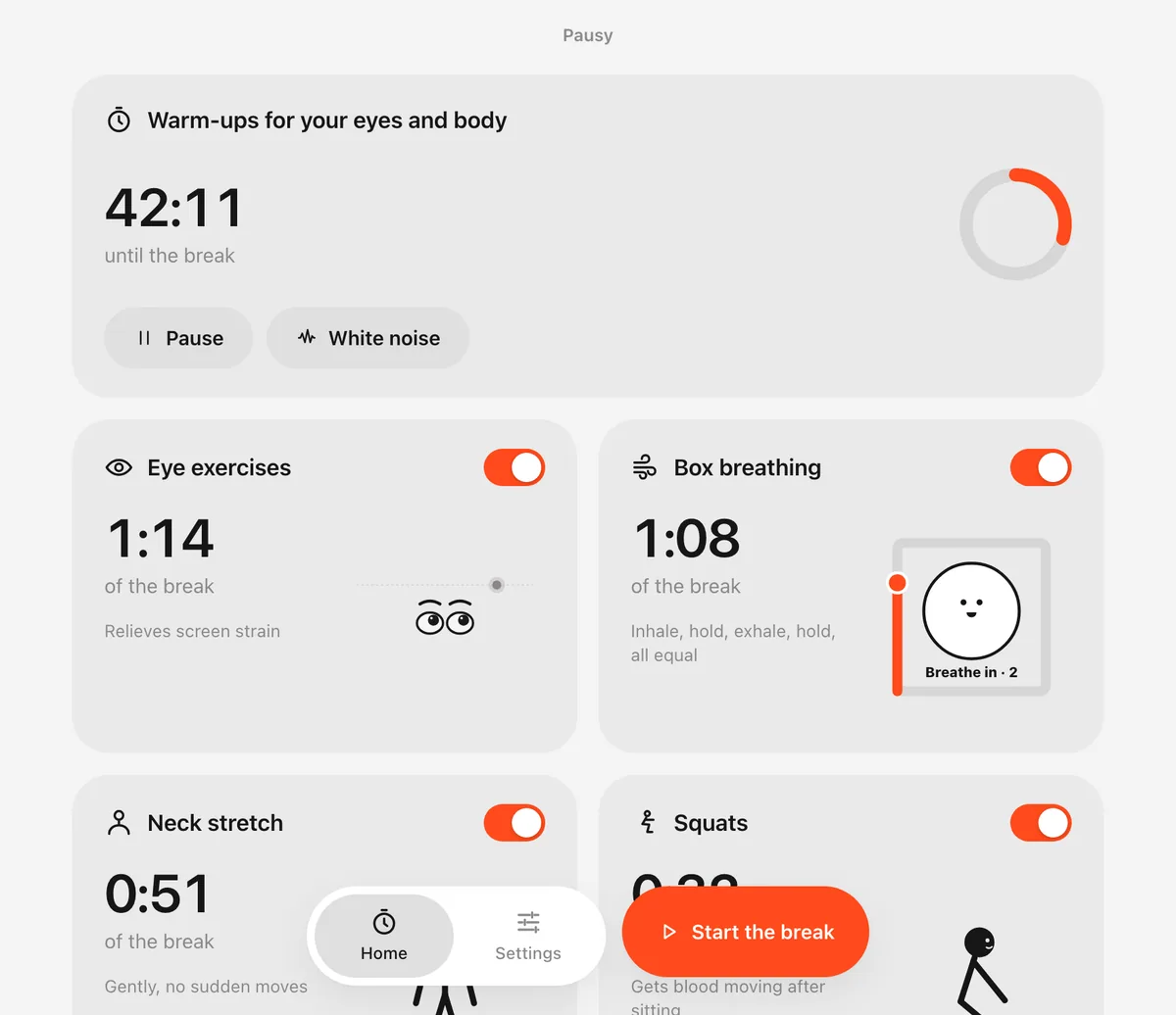
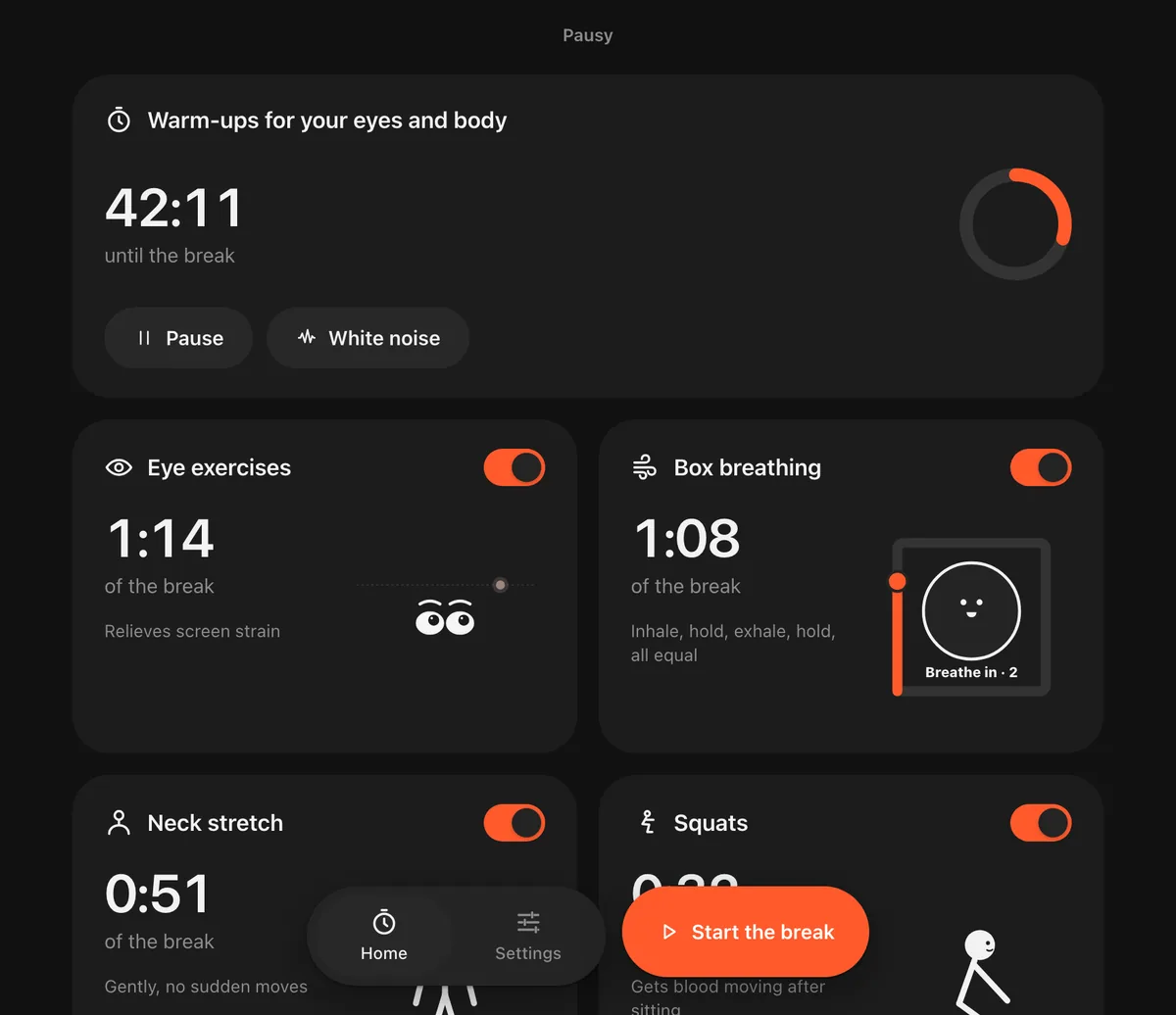
Pausy home screen with the hourly timer and five exercises
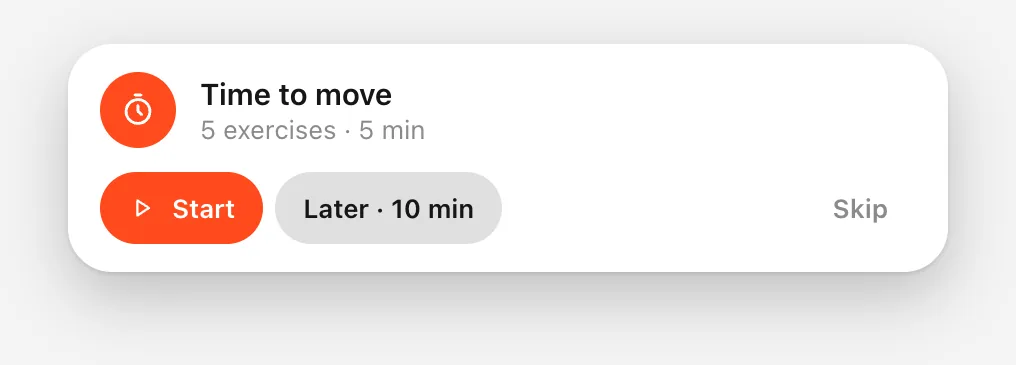
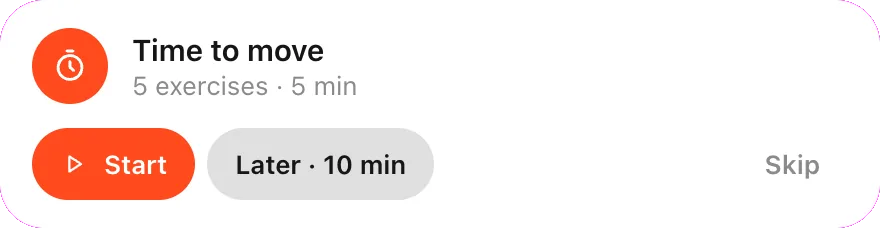
Corner reminder: Time to move — Start, Later, Skip
This week, not someday

Three things you notice by Friday.

Pausy is not a long-term health plan you have to believe in. The payoff is the same day.

1

Eyes that don't burn at 6 pm

Five minutes of wide eye movement and a blink round every hour. The dry, gritty feeling at the end of the day is the first thing to go.

2

A clear head at 4 pm

A dozen squats and a round of box breathing get blood moving again. The afternoon slump shows up later, or not at all, without a third coffee.

3

Hours that feel calmer

White noise one click away and Do Not Disturb during breaks. The hour between pauses gets quieter, and the pause itself stays yours.

Why it matters

Eight hours at a screen does three things to you.

None of them need a gym. They need a few minutes, every hour, done properly — before they turn into appointments.

66%of screen users have computer vision syndrome: dry, tired eyes and blurred focusMeta-analysis of 45 studies, Scientific Reports, 2023
619Mpeople live with low back pain — the world's leading cause of years lived with disability, heading to 843M by 2050Global Burden of Disease, The Lancet Rheumatology, 2023
31%of adults worldwide don't move enough to stay healthy: 1.8 billion people, and the share is risingWHO / The Lancet Global Health, 2024

Your eyes stop blinking

Staring at a screen drops your blink rate; eyes dry out and the focusing muscles tire. The fix is movement: look away, trace a wide path, blink.

Your neck locks up

Forward head, raised shoulders, a stiff upper back. A minute of slow tilts and turns with a hold at the end undoes an hour of it.

Everything slows down

Sitting still slows circulation and your thinking with it. A dozen squats and a few deep breaths bring both back faster than another coffee.

Sources: Anbesu & Lema, Prevalence of computer vision syndrome: a systematic review and meta-analysis (Scientific Reports, 2023) · Ferreira et al., Global, regional, and national burden of low back pain 1990–2020, with projections to 2050 (The Lancet Rheumatology, 2023) · WHO: Nearly 1.8 billion adults at risk of disease from not doing enough physical activity (June 2024) · Dieleman et al., US Health Care Spending by Payer and Health Condition (JAMA 2020) — used for the per-person cost below

How it works

Three quiet steps, once an hour.

1A timer waits in your menu bar

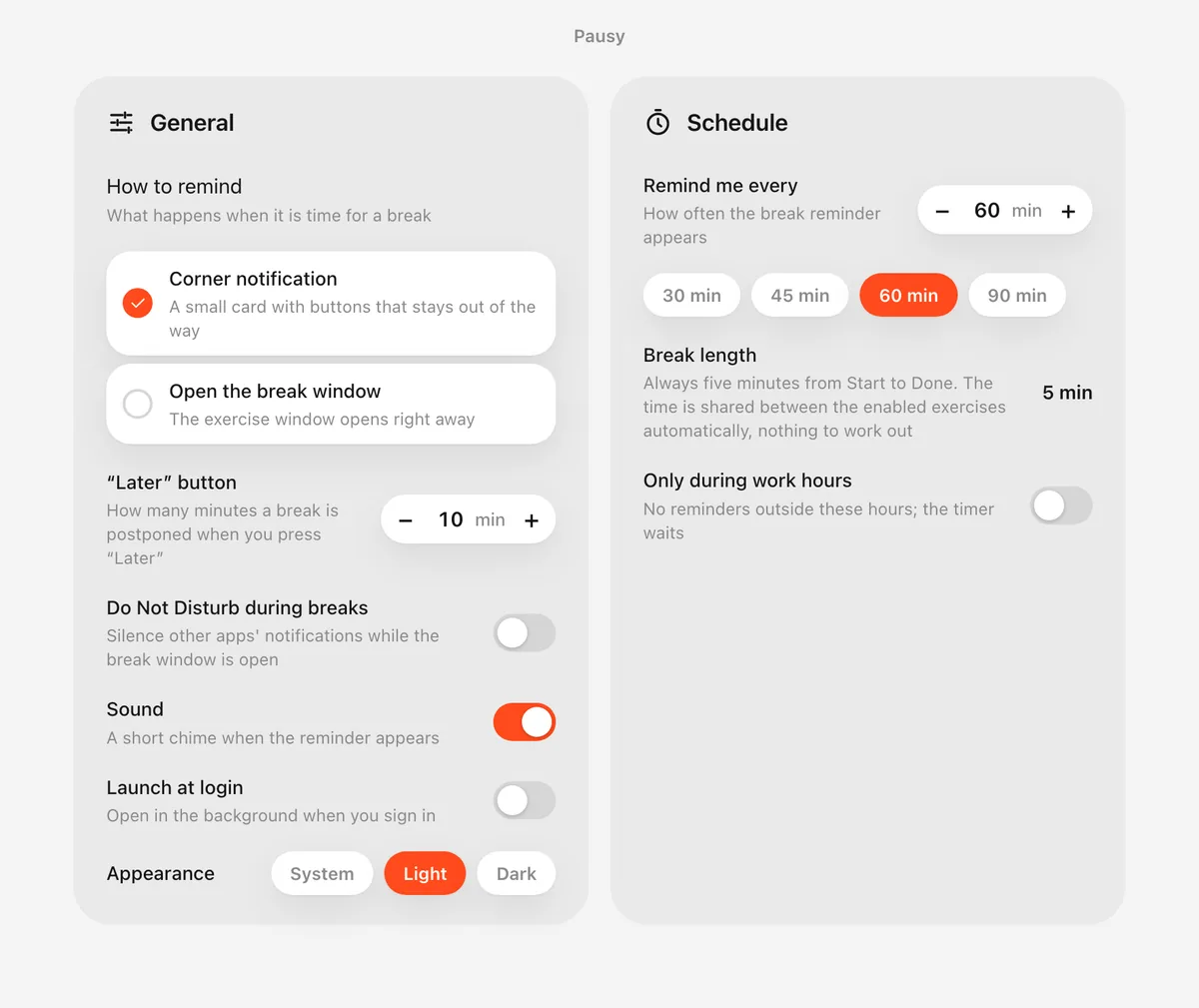
Choose how often you want to pause — every hour by default — and Pausy counts down in the tray, out of the way. Every break is five minutes; there is nothing else to configure. Sleep or lock your Mac and it resets, so you never get a reminder the moment you sit back down.

Pausy settings: reminder style, Later button, Do Not Disturb, schedule

2A card asks. It never barges in.

When it's time, a small card appears in the corner of your screen: Start, Later, or Skip. It doesn't steal focus or cover your work. In a meeting? Press Later and it comes back in ten minutes.

Corner reminder card: Time to move — Start, Later, Skip

3Follow the figure, one movement at a time

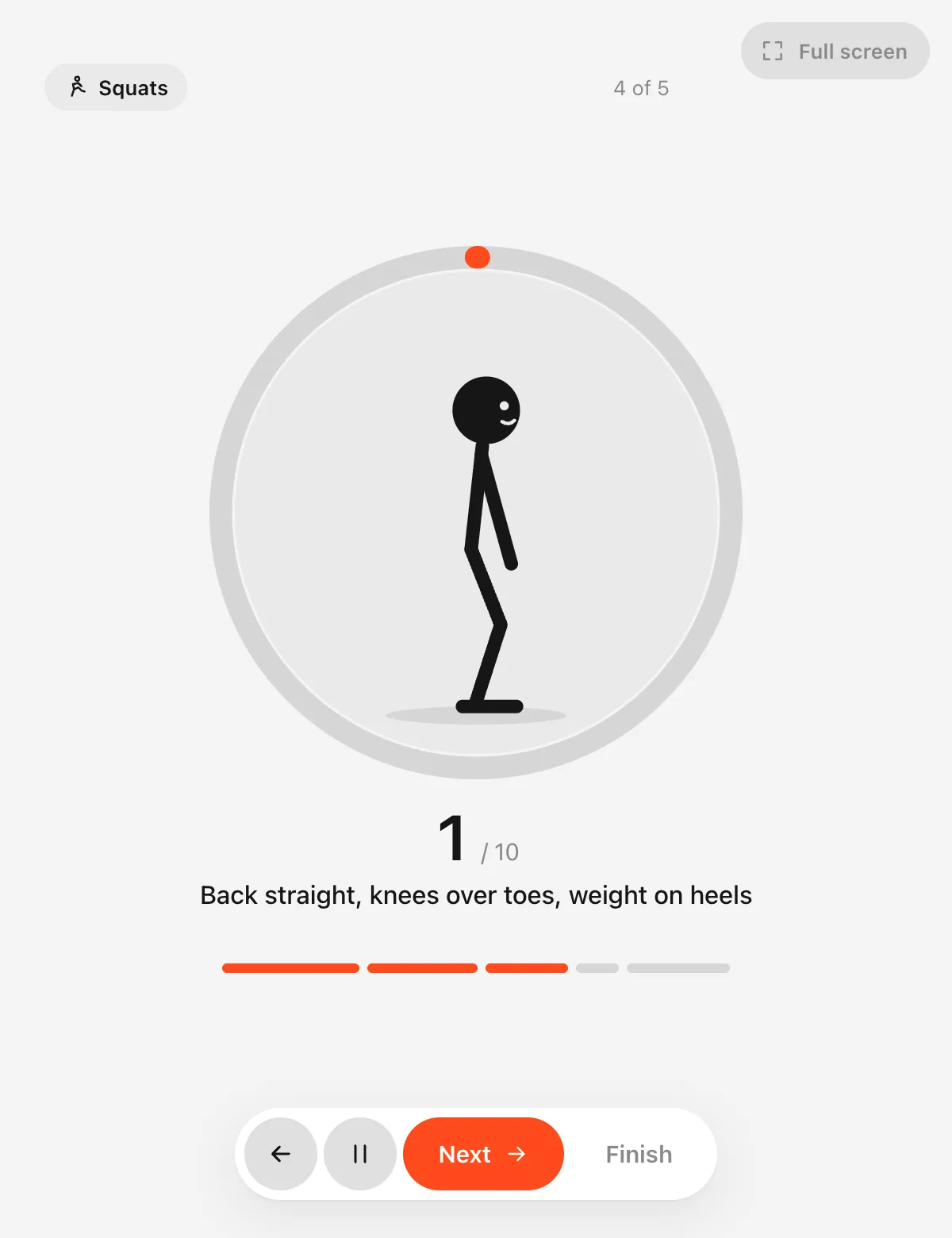
Each exercise is shown by an animated figure at a natural tempo, with a rep counter and a short cue. Three seconds to get into position, then go. When you're done, the timer starts again on its own.

A guided squat with rep counter and progress ring
The routine

Five exercises. Pick the ones you want.

Turn any of them off and Pausy fits the rest into the same five minutes. Reps and tempo are already worked out.

Tap an exercise to see how Pausy shows it

Eye training

Eye exercises that actually use your screen.

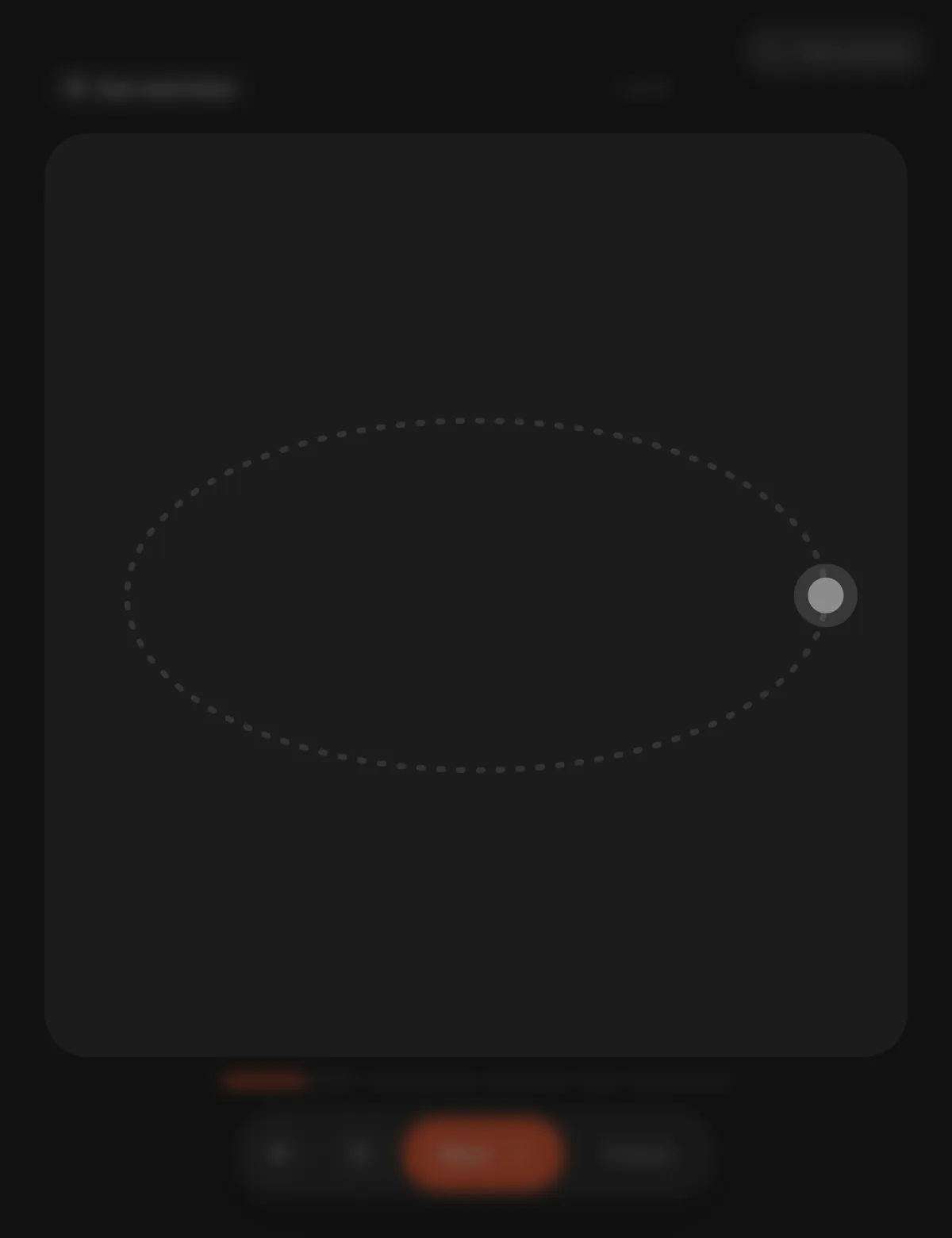
Most apps draw a tiny dot in a tiny window. Pausy puts the dot on a wide board, or on your whole display in full-screen mode, so left-to-right really means from one edge to the other.

  • Horizontal, vertical, circles, a figure eight and blinking
  • Smooth hand-overs: the dot stops, the old path fades, the new one appears
  • Everything but the dot blurs away while you follow it
  • Direction changes with a slowdown and a cue, never a jump
Full-width eye exercise: a dot moving along a figure eight
Pausy home screen in dark mode: the hourly timer with Pause and White noise buttons
Between breaks

Five minutes for your body. The other fifty-five for your focus.

A break only helps if the hour around it is calm. Pausy keeps that hour quiet with three small things that live on the same home screen.

  • White noise, one click. Soft pink noise generated on your Mac, no streaming and no second app. Turn it on, set the volume, forget it.
  • Do Not Disturb during breaks. Other apps' notifications are silenced while a break is running, so the five minutes stay yours.
  • Work hours and days. Reminders only when you're actually working. Evenings and weekends stay quiet without touching a setting.
Details

Small app. Thought through.

Lives in your menu bar

A quiet countdown in the tray. No window to keep open, nothing to remember.

A card, not a pop-up

When it's time, a small card appears in the corner: Start, Later, or Skip. It never steals focus.

Nothing to work out

Every break is five minutes. Turn an exercise off and Pausy re-splits the time by itself — no reps, no lengths to set.

Full-screen eye training

One click and the dot travels the full width of your display with nothing else on screen.

Do Not Disturb during breaks

Silences other apps' notifications while a break is running, so five minutes stay yours.

White noise built in

Soft pink noise generated on the fly, one click on the home screen. No files, no streaming, no subscription to a second app.

Work hours and days

Reminders only when you're actually working. Weekends and evenings stay quiet.

No account, works offline

Nothing leaves your computer. Settings live in a local file you can read.

Native Mac app

About 4 MB, Apple Silicon and Intel, light, dark or system appearance. Starts with your Mac if you want it to.

Pricing

Less than two coffees a month. Far less than the appointment you're trying to avoid.

We can't promise you'll never see a physio. We can make the cheapest option the one that runs every hour by itself.

What a desk habit costs, compared with a year of Pausy
ItemCostBasisWhat it buys
A year of Pausy$84$7 / monthFive guided minutes every hour, every working day. First week free.
One physiotherapy session (US)$100–150per visitTypical cash price without insurance; a course is usually 6–12 visits.
One private physiotherapy appointment (UK)£45–120per visitFirst assessment; follow-ups £35–85.
Back and neck pain, US spending per person$416per year$134.5B a year, the costliest condition in the latest JAMA breakdown, divided by population. Paid by everyone through premiums and taxes.
A coffee a working day$100per monthTwenty days at $5. The squats work better anyway.

Physiotherapy prices are typical published cash rates in 2025 and vary by city and clinic. The per-person figure is US spending on low back and neck pain ($134.5B, the most recent JAMA breakdown that separates it from other musculoskeletal conditions) divided by the US population of the same year.

Pausy
$7/ month

First 7 days free. Subscribe to start, cancel anytime during the week and you won't be charged.

  • All five exercises, unlimited breaks
  • Full-screen eye training
  • White noise for focus, Do Not Disturb during breaks
  • Up to 3 Macs
  • All updates included
Start 7 days freeSecure checkout and invoices by Lemon Squeezy. VAT handled automatically.

What happens after the week?

Your subscription simply continues at $7 a month. Cancel before the week ends and nothing is charged; Pausy then keeps reminding you with a lighter routine of one exercise per break.

Why a subscription?

Pausy keeps growing: new movements, smarter reminders and day-one support for every macOS release. $7 a month pays for that work, and you stay in control of when it stops.

Buying for a team?

Volume licences and an invoice for your company are available. Write to us.

FAQ

Questions people ask.

Is this just another break timer?

A timer tells you to stop. Pausy shows you what to do: five guided exercises with an animated figure, a tempo and a rep counter. You don't have to think, you just follow.

How long does a break take?

Always five minutes, from Start to Done. The time is split between the exercises you've enabled at a natural tempo, so there are no reps or lengths to set. Turn squats off at the office and the rest fills the five minutes.

What does white noise have to do with breaks?

Breaks fix the body; focus between them is the other half of a good day. Pausy generates soft pink noise locally, so you don't need a second app or a streaming tab to drown out the office.

Will it interrupt my meetings?

A break starts with a small card in the corner, never a full window. Press Later and it comes back in ten minutes. Work hours and Do Not Disturb settings keep it out of the way.

Which Macs does it run on?

Pausy is a Mac app: macOS 13 or later, native on Apple Silicon and Intel. It's about 4 MB, starts with your Mac and uses almost no memory while it waits. There is no Windows or Linux version.

Is this medical advice?

No. Pausy is a reminder and a guide for gentle, general exercises. If something hurts, skip it, and talk to a doctor about any condition that affects your eyes, neck, back, knees or breathing. The numbers on this page come from published studies and are linked under the section.

Does Pausy collect any data?

No. There is no account and no analytics. Your settings are stored in a plain file on your computer. Payments are handled by Lemon Squeezy, our merchant of record.

How does the subscription work?

You subscribe once, and the first 7 days are free. Cancel before the week ends and you pay nothing. After that it's $7 a month, cancel anytime from your Lemon Squeezy receipt. If you cancel, the app keeps working with a lighter free routine.

Take a pause, buddy.

First week free, then $7 a month. Installs in a minute. Your neck will notice by Thursday.

macOS 13 or later · Apple Silicon and Intel · about 4 MB